 C
C Cursor
AIToolIndex Pick VerifiedThe AI-first code editor built for pair programming with AI
Screenshots
Use these product views to sanity-check interface fit before you click through.
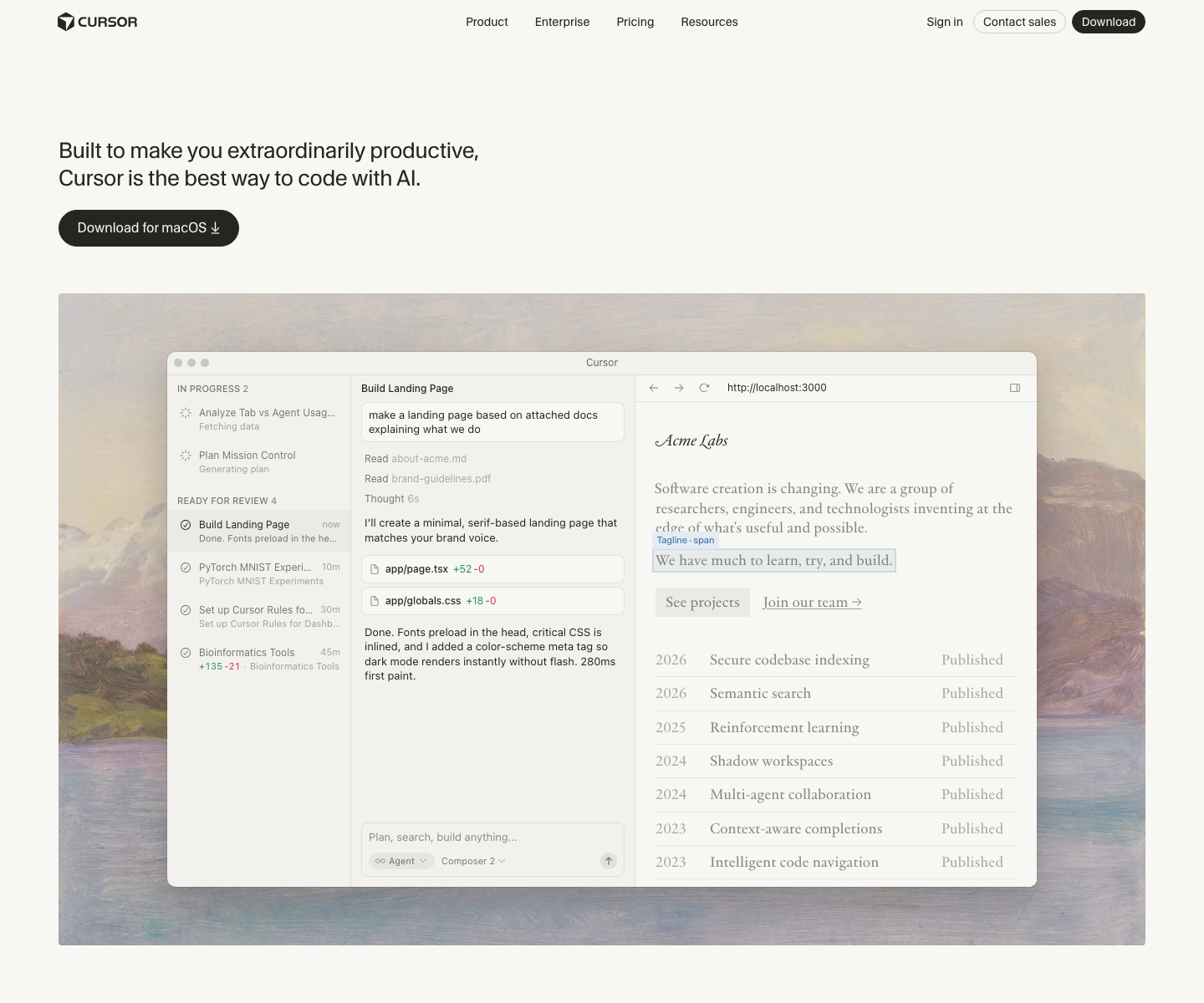

About Cursor
Cursor is for teams and individual developers who want AI to shape the entire coding workflow, not just suggest the next line. That difference matters. Instead of treating AI as a plugin on top of a normal editor, Cursor pushes toward a more agentic development style with full-codebase context, larger edit operations, and a tighter loop between intent and implementation.
This makes Cursor especially appealing for product engineers, startup teams, and developers who move quickly across unfamiliar parts of the stack. It is strong for refactors, prototype scaffolding, debugging across multiple files, and turning rough natural-language requests into a working starting point. When the workflow clicks, it can feel closer to collaborating with an implementation partner than using autocomplete.
The tradeoff is operational. Cursor asks people to adopt a new editor environment and a more AI-forward way of working. Some teams love that immediately. Others prefer the lower-change path of Copilot. Cursor tends to win when the goal is maximum leverage rather than minimum process change.
Key Features
Pricing Plans
Estimate this tool in your stackCursor pricing spans hobby use to serious team adoption, and the right plan depends on how central AI is to the development process. The free tier is good for evaluation. Pro is the real starting point for individual daily use. The higher plans make sense when AI is handling frequent multi-file work and the included requests materially replace manual effort or other tool costs. The real pricing decision is leverage. If Cursor becomes part of prototyping, refactoring, and daily implementation, even the higher individual plan can be inexpensive relative to developer time. If your team mainly wants lighter completions, Copilot often offers a simpler cost profile.
Hobby
- No credit card required
- Limited Agent requests
- Limited Tab completions
Pro
- Everything in Hobby, plus:
- Extended limits on Agent
- Unlimited Tab completions
- Cloud Agents
- Maximum context windows
Pro+
- Everything in Pro, plus:
- 3x usage on all OpenAI, Claude, Gemini models
Ultra
- Everything in Pro, plus:
- 20x usage on all OpenAI, Claude, Gemini models
- Priority access to new features
Teams
- Everything in Pro, plus:
- Shared chats, commands, and rules
- Centralized team billing
- Usage analytics and reporting
- Org-wide privacy mode controls
- Role-based access control
- SAML/OIDC SSO
Use Cases
Limitations
- Cursor creates the most value when developers are willing to change habits, not just add a plugin
- Heavy AI usage can become expensive if the workflow is not disciplined
- Like every coding assistant, it still needs human review on architecture and security-critical changes
- Some teams prefer the governance and familiarity of standard-editor tools like Copilot
Frequently Asked Questions
Is Cursor worth switching editors for?
Who should not start with Cursor?
Does Cursor replace ChatGPT or Claude for developers?
Benchmark Position
Cursor currently ranks #3 in the ai coding leaders scorecard.
Benchmark Scorecard
AI Coding Leaders
Tools ranked for code quality, developer workflow fit, platform support, and pricing discipline.
Top Overall
GitHub Copilot 71Best overall balance of value, freshness, capability breadth, and market signal.
Power Pick
GitHub Copilot 74High feature depth with strong API/platform support for demanding teams.
Current leaders
pair programming • code review • multi-file edits
Alternatives & Related Tools
Compare adjacent tools without leaving the directory.

Bolt.new
Prompt-to-app builder for full-stack web apps in your browser

ChatGPT
The most widely used AI assistant for conversation, writing, analysis, and coding